Firstly, thanks for making something fantastically useful in `boxes`. It makes o…ur laser cutter worthwhile :)
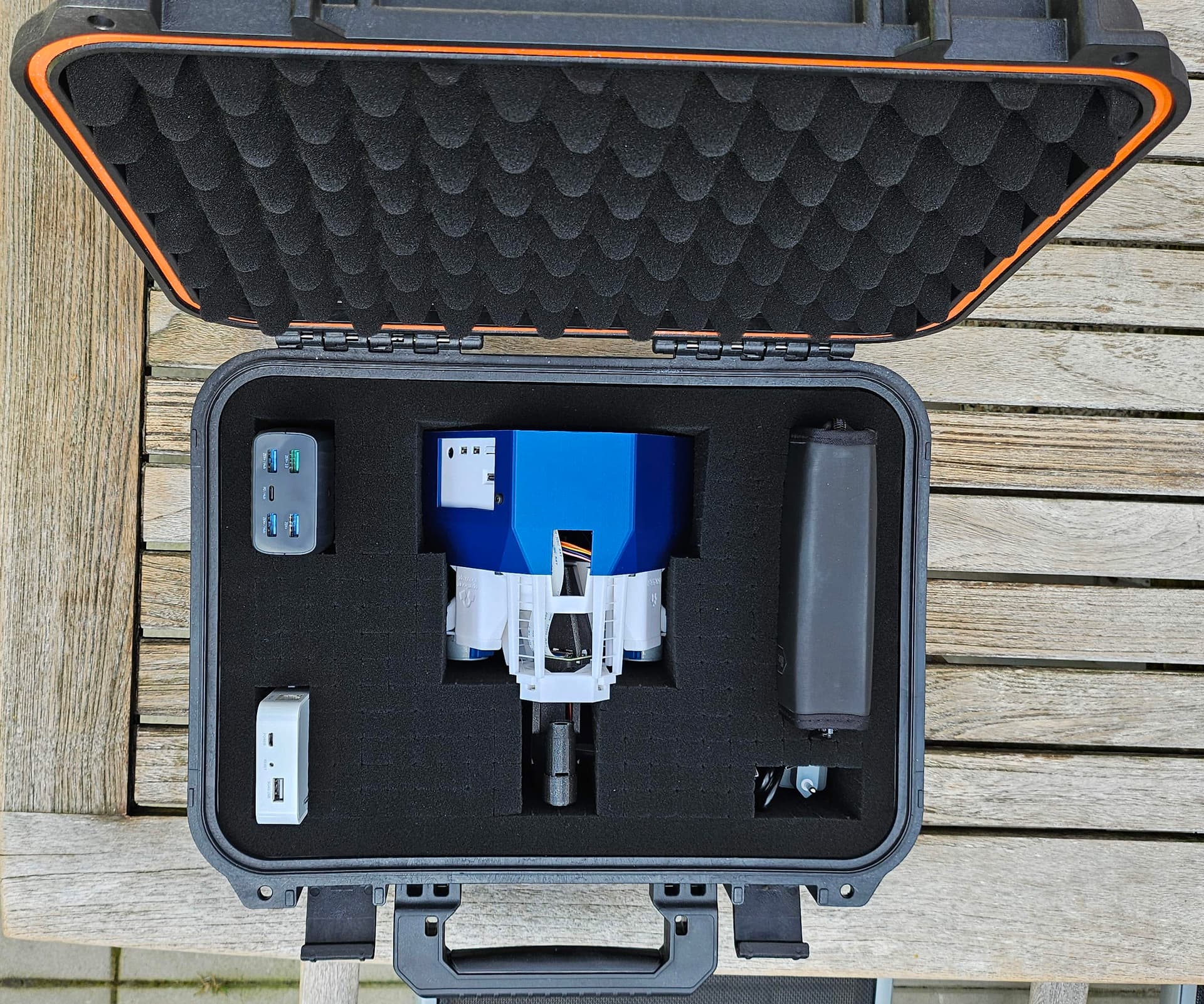
I've been playing with the Python API of Boxes.py to improve on the case I previously made using the web-based generator. I'd happily tidy up my current effort and submit a PR if you'd be interested in having a specialised box, but will also take no offense if this is too specific - it can certainly live in its own repo under openflexure. As it's a box for a very specific item, it doesn't make much sense for it to be particularly customisable beyond adding text/logos, which isn't currently an option.
Compared to the `RoundedBox` on which it is very heavily based, I added a few things:
* A basic latch mechanism, four fingers that slide out from inside the lid to lock it in place. They are actuated by M3 screws.
* A custom cut-out on the middle shelf, so that the microscope is held securely without pressure on the illumination.
* A basic SVG importer, to support the custom cut-out and add logos to the box.
* A second generator (subclassing the first) that makes custom foam cut-outs to fit inside the box.
**SVG Import**
When putting this together, I thought it would be nice to add the logos and cut-outs in Python, rather than having to customise a new SVG every time I tweak a setting. I had a search around the source code for a ready-made way to import a path from an SVG, but couldn't find one. I have rolled my own using `svg.path` and `lxml` which results in a pleasingly compact few functions. It occurs to me that this might be worth tidying up into a PR, but I thought I'd ask for feedback first. I'll paste the code below but, put simply, it's just smart enough to import the geometry of one path (i.e. move, line, curve, and close commands) from an SVG containing one path only. This seems to be the case for SVGs I've generated with OpenSCAD as well as the OpenFlexure emblem (I think that was Inkscape). The path commands are then replayed using `boxes` drawing commands, such that they behave as expected in terms of transformations (i.e. the SVG data may be translated/scaled/rotated depending on the current context).
<details><summary>Click for code...</summary>
```python
def draw_path_on_ctx(ctx: boxes.drawing.Context, path: svg.path.Path):
"""Draw an SVG path into the current context.
This transforms the points according to the current context, but otherwise
should just add the commands from the path into the output.
"""
for seg in path:
if isinstance(seg, svg.path.Move):
ctx.move_to(seg.end.real, seg.end.imag)
if isinstance(seg, svg.path.Close) or isinstance(seg, svg.path.Line):
ctx.line_to(seg.end.real, seg.end.imag)
elif isinstance(seg, svg.path.CubicBezier):
ctx.curve_to(
seg.control1.real,
seg.control1.imag,
seg.control2.real,
seg.control2.imag,
seg.end.real,
seg.end.imag,
)
def path_extent(path: svg.path.Path) -> tuple[tuple[float, float], tuple[float, float]]:
"""Determine max/min x,y positions in a path."""
extent_x = [np.inf, -np.inf]
extent_y = [np.inf, -np.inf]
for seg in path:
x, y = seg.end.real, seg.end.imag
for extent, point in [(extent_x, x), (extent_y, y)]:
extent[0] = min(extent[0], point)
extent[1] = max(extent[1], point)
return tuple(extent_x), tuple(extent_y)
def path_centre(path: svg.path.Path) -> tuple[float, float]:
"""Determine the middle point of a path."""
(x0, x1), (y0, y1) = path_extent(path)
return (x0 + x1)/2, (y0 + y1)/2
def load_path_from_svg(filename: str) -> svg.path.Path:
"""Load a path from an SVG file.
This assumes there is a single path in the file, as is true for OpenSCAD
exports.
"""
tree = etree.parse(filename)
path_nodes = tree.xpath("//svg:path", namespaces={'svg': "http://www.w3.org/2000/svg"})
if len(path_nodes) > 1:
raise RuntimeError("I can only cope with one path in an SVG!")
data = path_nodes[0].get("d")
return svg.path.parse_path(data)
```
</details>
Obviously this isn't a feature-complete SVG importer, and I'm unlikely to be able to make (and much less test) that. So, if you'd rather I didn't send a PR for my very basic function no worries. However, I thought I'd ask in case it was of interest.
**Is your feature request related to a problem? Please describe.**
It's nice to add logos, which might come as SVG files. I couldn't see a way to do this.
**Describe the solution you'd like**
A very simple SVG importer that allows an SVG path to be drawn alongside the box.
** Pictures of something similar **
I'll upload some pictures shortly, but don't have them available right now.
Pictures are the second iteration of my rounded OpenFlexure Box - sadly I messed up the laser height so the logos on the side didn't come out as nicely as they did first time.